BOOX Go 7 Color (Gen II)
★★★★★
I’ve been happy with the Boox Poke3 as my main eReader for almost five years, but it’s been showing its age. It was time to replace it with a newer, faster model. Preferably with physical page-turning buttons, possibly with color.
Boox specializes in Android-based e-ink tablets ranging from pocket size to full sketchpad. I like the idea of the phone-sized device, and I really like the idea of the convertible e-ink tablet/laptop, but I don’t need either of those as much as I could use a new paperback-sized multi-source eBook reader.
First Impressions
The Go 7 Color is slightly larger than the Poke3 (which is roughly the size of a Kindle Paperwhite or Kobo Clara), and does indeed have physical page-flip buttons! (Judging by photos, it’s comparable to the Kobo Libra or Sage.)
The screen is the size of the old device, edges included, and of course this one adds a wider edge for the buttons. I can’t fit it in my jacket pocket anymore, but it’s still light enough to hold directly above me while reading in bed.
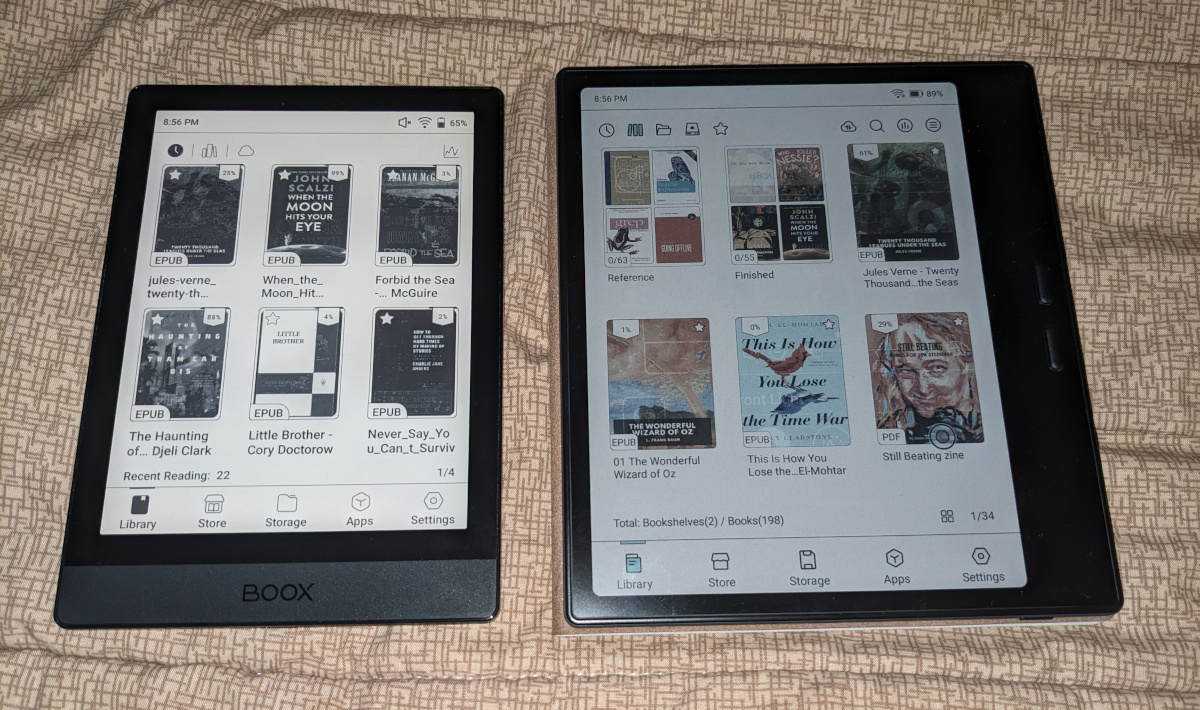
It’s also a lot faster than the previous device, and it can run apps like Wallabag and Bookshop.org that the Poke3 struggled with.
Its touchscreen handles gestures and taps well. I no longer feel like I need to press hard on the screen to get it to react. It’s still not fast enough for typing comfortably (and besides, it’s too small for “real” typing and too big for two-thumbs phone typing), but it’s good enough for search terms, passwords etc. I suspect it would be decent for sketching or note-taking with a stylus. And it’s responsive enough that I don’t really need the physical buttons most of the time.
The battery seems to run out a little faster than the Poke3, but it still lasts a lot longer than most phones and tablets. Especially if you keep it set to power off completely when it’s not being used. I’ve only had to charge it a couple of times in the month I’ve been using it.
Display
The black ink is still sharp for letters and line art, and the size isn’t bad for black-and-white manga.
Colors are very pastel, lower resolution than the black ink, and noticably dithered. You wouldn’t want to use it for photos or even color comics unless it was all you had available, but it’s good for diagrams, and helps immensely with displaying websites legibly.
The e-ink is easily visible in bright sunlight, and an adjustable front light takes care of indoor and dimmer lighting.
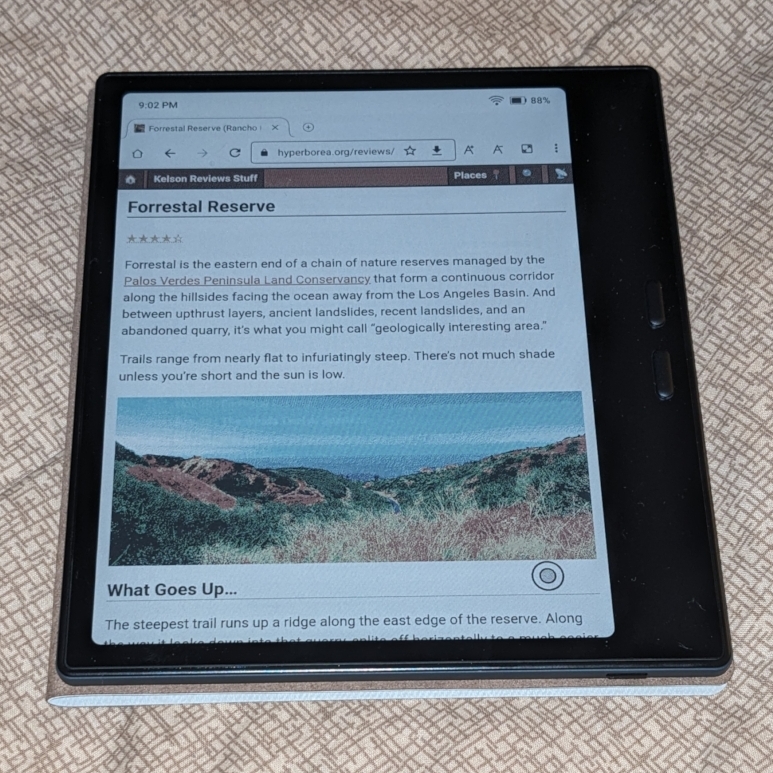
The built-in apps are well optimized for the display. General apps, not so much, but the fact that it’s color (and faster) makes this a lot less of a problem than on the older model.
You can still customize the style, input and refresh modes on a per-app basis. I’ve found that it helps to enable high-contrast mode on all the eBook readers apps, but haven’t had to change too much otherwise.
Some third-party apps still have trouble with button color schemes that end up being a totally illegible solid black or solid white. Setting the app to use outlined text usually makes it possible to read these buttons, and usually doesn’t affect the normal text in the app.
I still wouldn’t use it for games or video, though! Refresh and input are both way too slow for that.
Speaking of media, the Go 7 also has a speaker. It’s not a very good speaker, so I’d rather not use it for music, but it’ll do for audiobooks and podcasts. Or you can just pair it with bluetooth headphones.
Reader Apps
Like the Poke 3, the Go 7 ships with Neo Reader, which handles every DRM-free book I’ve thrown at it.
In addition to side-loading books over USB-C, there’s a cloud service, Onyx, that I still haven’t used after five years with the older reader!
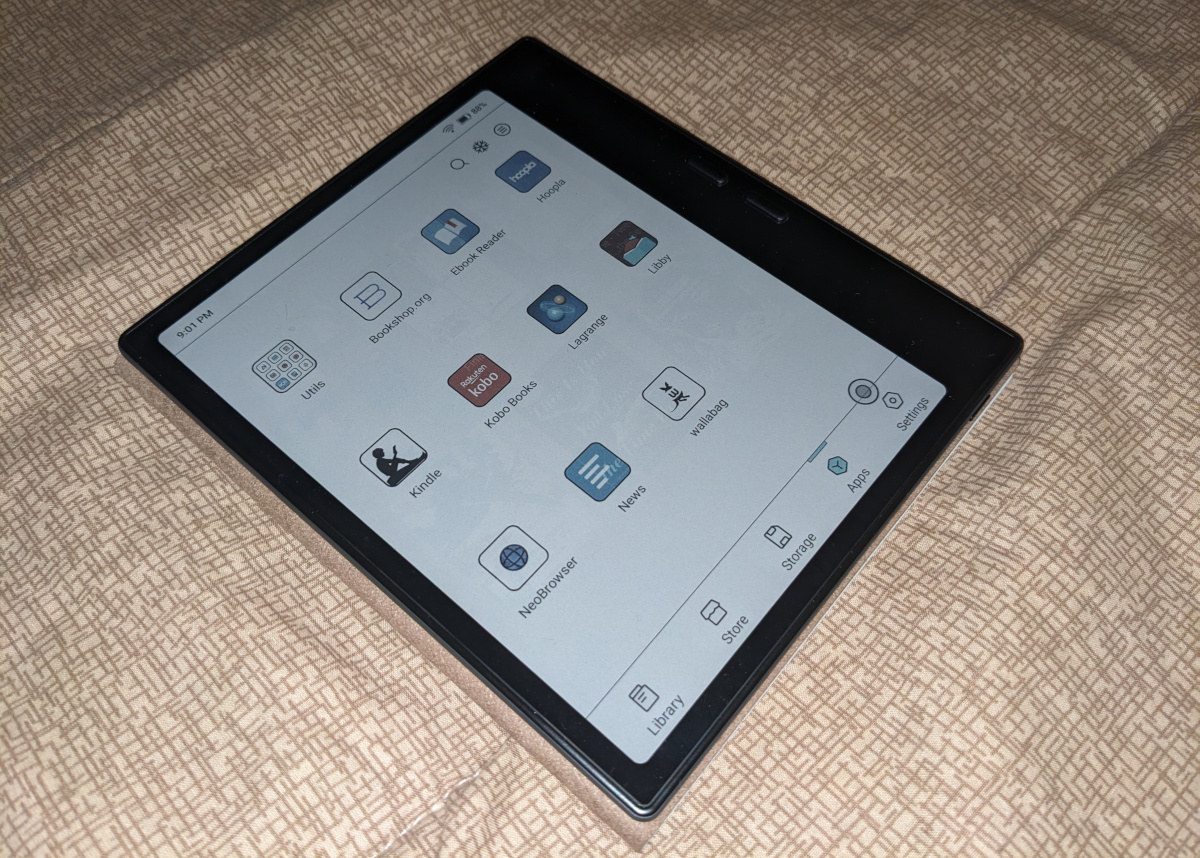
Of course what sets Boox’s devices apart is that you can install any third-party eBook reader that supports Android. Google Play is included, and I had no problem installing F-Droid alongside it.
Kobo, Kindle, Bookshop, eBooks.com, B&N Nook, Hoopla and Libby all work well so far. Bookshop and recent versions of Kobo have been struggling on the Poke3, and I have a lot of stuff still to read in my Kobo library, so having that work reliably again is a relief. (I mean, we still have the Clara, but it’s nice to have everything on one device.)
Hoopla still has the additional quirk where you need to customize it using the Boox dot to “Stay active in the background.” (The usual Android app setting doesn’t do it in this case.)
Page-Flipping Buttons
The buttons work out-of-the-box with Neo Reader and some other apps. For the rest, the major eBook apps all have the option to flip pages with the volume buttons (which these map to), but you need to configure the apps one by one.
And yes, the buttons adjust when you rotate the screen. So whether you hold it left-handed or right-handed, they’ll still jump down/forward and up/back.
I haven’t found a way to reverse them, though, which seems like it might be helpful depending on how you grip the tablet.
Other Apps
Boox devices ship with Neo Browser, a fairly simple Chromium web browser. It runs a lot better than it did on the older device. Plus, you know, color. I suspect I’ll be using it more often than I used to, though I want to avoid getting too distracted. (I am not putting any social media apps on here!)
I’ve also been using:
KeePass2Android for password management, synced over Nextcloud. The only problem so far is that I had to use the outlined-text trick to make some of the buttons visible.
Nextcloud News as a feed reader, also synced over Nextcloud. It was a bit slow on the Poke3, so I didn’t use it much on there, but runs well on the Go 7.
Wallabag is a read-it-later app for articles, synced over its own service. This is another one that the old tablet could barely handle, but that runs smoothly now.
Bottom Line
I liked the Poke3 a lot, and I considered getting the Go 6, which appears to be the current equivalent. But I’m glad I paid the extra for this model. It’s such a drastic upgrade.
Even if it doesn’t fit in my pocket anymore.