Pages Tagged “eBook Reader”
Reviews
- Bookshop.org ★★★★☆ A good place to shop online for books and still support indie bookstores. They sell eBooks too, in standard ePub format.
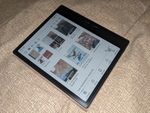
- BOOX Go 7 Color (Gen II)
- eBooks.com ★★★★☆ An eBook seller with some actual business ethics. No hardware (which simplifies things), but they have an app for Android and iOS, and any DRM-free titles can be downloaded and read on just about anything.
- Kobo (eBook store and readers) ★★★★☆ A solid alternative to Kindle, from the eBook selection through apps and hardware. The app works well on my eink tablet without too much tweaking, though it still wants to sell me more books before I can open the one I want to read.
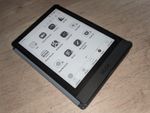
- Onyx BOOX Poke3
Tech Tips
- Using BOOX Devices’ Page Flip Buttons With Third Party eBook Apps A few eBook apps work with the buttons out of the box, but most need you to enable page-flipping with volume buttons, one app at a time.
Blog Posts
- Books on Nooks
With Barnes & Noble’s new eBook reader, you could read a Nook book in a book nook.
- Kindle DX: A Digital Comics Platform?
The Kindle DX screen is comparable in size to a manga page. It’s black and white, but it could easily handle print comics without formatting or zoom.
- Kindle(ing)
Amazon’s entire home page is currently taken up by the announcement of their new eBook reader, Kindle. At $400 I’m not going to rush out and buy one, but it looks like they’ve solved some of the main e-book problems: it’s small, light and wireless, and they even bring up the reading-in-bed issue in the […]