Pages Tagged “Tablet”
Reviews
- BOOX Go 7 Color (Gen II)
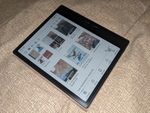
- Microsoft Surface Go 2 ★★★★☆ A great ultra-light Windows 10 tablet with detachable keyboard. Or an annoyingly slow Windows 11 tablet.
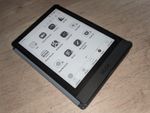
- Onyx BOOX Poke3
Tech Tips
- Downgrading a Microsoft Surface Device to Windows 10 You can reinstall Windows on a Surface tablet or laptop using a hardware-specific recovery image and a USB drive. Microsoft will want you to log in and provide the serial number of the device you want to reinstall.
- Notes on E-Paper Display Computers A low-power e-ink laptop sounds great, but I haven’t found any yet. Just prototypes, Android tablets, and high-powered e-ink/OLED hybrids.
- PineTab2 Notes: Getting Things Working Things I’ve had to do on my PineTab2 to get various features working and/or usable.
- Using BOOX Devices’ Page Flip Buttons With Third Party eBook Apps A few eBook apps work with the buttons out of the box, but most need you to enable page-flipping with volume buttons, one app at a time.
Blog Posts
- Oh, that’s NOT a Hammer!
From an ad Google sent out today for their new Pixel Tablet, where they’re plugging it as a hub for controlling “smart home” devices. At first glance, it looked like she was about to smash it with a hammer. I suppose that says something about my attitude toward IOT? (At second glance, it looked like […]
- Remember Netbooks?
A few years back, I debated getting a netbook for trips. Improvements in mobile phones and tablets have resolved all the reasons I wanted a mini laptop.
- Tablet Blogging is Actually Convenient!
For short posts, I’m actually more comfortable sitting on the couch and writing on my tablet than firing up my computer and sitting at my desk. This is something I discovered during NaBloPoMo. My workflow typically went like this: Write the post in the WordPress App. Set categories/tags and upload as a draft. Switch over […]
- Ode to the Nexus 7

The Nexus 7 Android tablet has been discontinued in favor of the Nexus 9. (via Slashdot.) I’ve had a Nexus 7 (2012) almost since the beginning, and while it’s showing its age, I’ve been trying to stretch out its lifetime, because I actually do still use it on a regular basis. Most of what I […]
- Reading, Online vs. Off…or is it Screen vs. Print?
We know people read differently online than offline, and now spillover effects are appearing. But do different types of screens have the same effect?
- Dealing With Multiple E-Book Stores
I’ve bought books on Kindle, Google Play and Kobo, and read on all three apps. Here’s why I’ve sampled different stores, despite the problems it introduces.
- Tablets and the Geek Bubble (i.e. “Who uses THAT?”)
A lot of geeks don’t consider that someone else might have a different use case, workflow or need. Disdain for tablets is the latest expression of this.
- Divide and Conquer
A pair of separate billboards used for Microsoft’s Surface tablet ad campaign. Creative use of existing space.
- How I Actually Use My Nexus 7 Android Tablet
I prefer the tablet to the smartphone when I’m at home, or any time I want to do something for more than a few minutes. But what about the desktop/laptop?
- Nexus 7 + USB Cable = Finally! Upload Photos Without a Laptop!
You can attach USB devices to a Nexus 7 Android tablet with a $1 cable adapter. Even thumb drives and cameras work, though you need an app to read them.
- Nexus 7: First Impressions from a Tablet Newbie
First impressions: Good performance, size well-balanced for reading, better than using my phone to type. Sort of regretting that it’s wifi-only.
- Netbook, Phone or Tablet?
Comic-Con International is rapidly approaching, and you know what that means: it means I’m thinking about mobile computing again! Right now, I’ve got a G1 Android-based phone, and Katie and I share a MacBook. The G1 is showing its age, and it would be nice to have a second computer to do things like manage […]
- DC Comics Goes Digital
DC Comics has launched a digital comics program, starting with the iPad/iPhone and the Playstation network. And by launched, I mean launched. As in, you can download the app and buy comics right now. I’m really looking forward to the day when they expand this to more platforms (desktop PCs, Android and Windows–based tablets, etc) […]
- Kindle DX: A Digital Comics Platform?
The Kindle DX screen is comparable in size to a manga page. It’s black and white, but it could easily handle print comics without formatting or zoom.
- Devoured by the Mandriva
The Mandrake/Conectiva merger has had a chance to sink in. I’m almost getting used to the name Mandriva. But I’m still trying to figure out last week’s announcement that Mandriva has bought Lycoris—or rather, has “purchase[d] several assets from Lycoris.” The big news is that they’re combining Mandriva Discovery (their entry-level desktop OS) with Lycoris […]