Pages Tagged “Android”
Reviews
- Aegis Authenticator ★★★★★ A well-designed 2FA app for Android that lets you organize accounts into groups, can use a password or fingerprint to add another layer of security to your codes, and can easily import from several apps including Google Authenticator.
- Amazon Music ★★★☆☆ I want to use it to listen to music. Amazon wants to use it to sell me more subscriptions.
- Arc Search (discontinued) ★★★★☆ Surprisingly, I like the mobile Arc browser better than its desktop counterpart. Simplified UI, stays mostly out of your way, and it’s satisfying to fling tabs offscreen to close them. Still leery of the AI summarizer, though.
- Assistant for No Man’s Sky ★★★★★ Very useful for looking up crafting recipes and other reference while playing the game on my PC. Updated quickly when the game adds new features.
- Bitwarden ★★★★☆ A much more usable password manager than LastPass (and with a better track record). Apps for desktop, mobile, and web browser extensions, and organizations can self-host the server if they want to.
- Bookshop.org ★★★★☆ A good place to shop online for books and still support indie bookstores. They sell eBooks too, in standard ePub format.
- BOOX Go 7 Color (Gen II)

- Buran ★★★★☆ Simple, fast, intuitive Gemini Protocol client for Android with a clean interface. Supports bookmarks and client certs, but not subscriptions.
- Clusterduck ★★★★☆ Fun and weird, good for killing time while you’re waiting in line. Eventually it gets monotonous, but it takes a while to get there.
- ConnectBot ★★★★★ A no-nonsense SSH client for Android.
- CSCPay Mobile ★★☆☆☆ Now my laundry doesn’t just depend on the washer and dryer, but on a controller box, its internet connection, my internet connection, my phone charge, and an online service.
- DAVx⁵ ★★★★★ Background app that syncs your non-Google cloud accounts with your Android system calendars and contacts.
- Deedum ★★★☆☆ A full featured, if awkward, Gemini client for Android and iOS. Handles bookmarks, subscriptions and client identities.
- DuckDuckGo ★★★★☆ A private-ish search engine that’s also serving less slop than Google. Disposable email aliases are convenient. The browser extension and standalone browser block known trackers, and the Android app can block trackers in other apps too.
- eBooks.com ★★★★☆ An eBook seller with some actual business ethics. No hardware (which simplifies things), but they have an app for Android and iOS, and any DRM-free titles can be downloaded and read on just about anything.
- Ecosia (Search) ★★★☆☆ Non-profit search provider that uses renewable energy and partners with environmental organizations. AKA “the search engine that plants trees.”
- Elk (Mastodon App) ★★★★☆ Alternate web front-end for Mastodon and compatible servers. Slightly more user-friendly, if a bit buggy, especially on non-Mastodon servers like GoToSocial.
- Enafore ★★★★☆ Minimalist web front-end for Mastodon and compatible servers. Not as capable as Elk, but more stable.
- Fedilab ★★★★½ A full-featured app for connecting to Mastodon and other Fediverse servers. Includes specific capabilities for Akkoma, Pixelfed, PeerTube and more, without getting too cluttered.
- Firefox ★★★★☆ I still have a soft spot for Firefox. At times it’s been the best web browser on Windows and Linux. It’s still good, has a solid extension ecosystem, and serves as an important bulwark against one company dominating browser tech.
- Fossify Apps: Replacing Simple Mobile Tools Simple Mobile Tools was purchased and now does everything it used to refuse to. Fossify is a privacy-respecting fork.
- Fossify Calculator ★★★★☆ Basic calculator, like the cheap 16-key models. No fancy scientific functions, but also no ads, no data mining, and no subscription. And it’s already in your pocket.
- Fossify Calendar ★★★★☆ Basic calendar app that works with your phone’s local calendars. You can do all the usual things you want to use a calendar for on your phone. Doesn’t clutter up your schedule with ads or vacuum up your personal data.
- Fossify Camera ★★★½☆ Basic camera app with support for flash, timer and video, optional EXIF. Lacks advanced processing like night sight. Images are slightly noisier than Google’s camera.
- Fossify Contacts ★★★★☆ Basic, privacy-respecting contacts app for Android that works with all contacts accounts on your phone.
- Fossify File Manager ★★★★★ Nice, simple app for handling the local files on your phone without talking to any cloud services.
- Fossify Gallery ★★★★☆ Basic on-device gallery that lets you manage your photos without sending them to a cloud service just to deal with what’s on your phone.
- Fossify Keyboard ★★★☆☆ I wanted to like this keyboard, but I can’t seem to type reliably with it just by tapping on my phone, and there’s no swipe gesture or autosuggest support. It works better at tablet size.
- Fossify Launcher ★★★☆☆ Works fine for launching apps. Widget support needs more work. Does not auto-rotate.
- Fossify Messages ★★★☆☆ Minimalist SMS/MMS app with custom alerts, archives and actions on the pull-down notifications. No RCS support or swipe actions, but does the job without sending a copy of all your messages to Google.
- Fossify Phone ★★★½☆ Minimalist dialer app for the actual phone part of your smartphone, with basic call blocking. Doesn’t provide all the transcription and screening that Google’s app does, but it’s also not sending your call activity to the cloud.
- Fossify Voice Recorder ★★★★☆ A simple mono recording app where the audio stays on your phone. No ads, no subscriptions, no remotely-generated transcripts, just basic recording.
- Fread ★★★★☆ Another Bluesky/Mastodon/RSS Combo app like OpenVibe, a bit less polished but considerably more useful. Handles multiple accounts per type, plus custom feeds.
- FreeOTP (Authenticator) ★★★½☆ Extremely bare-bones 2FA app for iOS and Android, sponsored by Red Hat. It’s secure, works offline, and doesn’t depend on Google. A decent choice if you start with it, but a lack of import features means switching from another app is tedious.
- Gmail (Android App) ★★★☆☆ Works well with multiple accounts and display modes, but tracks you more than it should.
- Google Chrome ★★★☆☆ There was a time when Chrome was the fastest web browser available. It isn’t anymore, and over the last few years it’s felt less like a user agent and more like a Google agent.
- Google Docs, Sheets and Slides ★★★½☆ Fast cloud-based office suite, with good collaboration and mobile support. Too bad I don’t trust Google’s servers any more than Microsoft’s these days.
- HeliBoard ★★★★☆ Versatile on-screen keyboard for Android with local-only autocorrect and suggestions for multiple languages. Extremely configurable. More private than GBoard, and works better for me than Fossify Keyboard. A separate download can enable optional gesture support.
- Husky (Social Media App) ★★★½☆ A fork based on an older version of Tusky, with added support for Pleroma and Akkoma extensions.
- Image Toolbox ★★★★☆ An extremely powerful image editor for Android. And not just the usual features like crop, adjust contrast or brightness, maybe apply a filter, but you can do batch edits, format conversion, scaling the actual pixel image, editing metadata…all the things that mobile apps tend to hide behind the curtain. And it can preserve EXIF data when you want it to.
- iNaturalist ★★★★★ A citizen science project for reporting and identifying wildlife observations, plus a phone app for use ‘in the field.’ Think of it as Pokémon Go for real animals and plants.
- IronFox ★★★★☆ A privacy-hardened Firefox variation for Android, comparable to LibreWolf on desktops. Removes Mozilla tracking and services like Pocket. Locks down features that can leak data, but those changes can break some sites.
- Jellyfin ★★★★★ Great for playing music across my local network, doesn’t phone home to a cloud or try to upsell subscriptions.
- K-9 Email ★★★★☆ Classic email app for Android: No frills, no ads, no tracking. Supports multiple accounts, phone-to-tablet layouts, and dark mode.
- KeePass Password Managers ★★★★★ KeePassXC, its browser extension, and KeePass2Android are a nice, clean set of apps to manage your passwords on your OWN desktop and mobile devices, auto-fill websites and apps, and sync over your own server or cloud provider.
- KeePass2Android ★★★★★ Nice, clean interface to a KeePass2 database with auto-fill support for both websites and apps and seamless syncing over your own server or the cloud of your choice.
- Kobo (eBook store and readers) ★★★★☆ A solid alternative to Kindle, from the eBook selection through apps and hardware. The app works well on my eink tablet without too much tweaking, though it still wants to sell me more books before I can open the one I want to read.
- Lagrange ★★★★★ Lagrange quickly became my favorite Gemini client on the desktop with its clean and convenient UI, stability and speed across platforms. And the mobile version works well too.
- Manyverse ★★★★☆ Takes the pain out of setting up and running SSB. Unfortunately it doesn’t overcome SSB’s inherent challenges of discovery, data size or multiple devices. (So far?)
- Mastodon (Mobile App) ★★★½☆ Good for someone new to Mastodon, but lacks advanced features found in other apps like Tusky.
- Microsoft Edge ★★☆☆☆ Once you turn off all the Microsoft specials, it feels usable again – but then, it’s just another Chromium skin.
- Microsoft Outlook (Android) ★★★★☆ It works. More stable than the desktop version. Handles mail, calendar and contacts, offers the focused/other inbox view. Tries to keep you in Microsoft’s apps. OK for work, wouldn’t use it for personal mail.
- Mobile Apps and Preserving Photo Metadata You’d think that ‘don’t change the stuff that the user isn’t changing’ would be a low bar, but most image editors I’ve used on Android tend to mess up the EXIF metadata one way or another.
- Moshidon (Mastodon app) ★★★★☆ A modified version of the Mastodon app for Android that adds a bit more functionality. Helpful if you use lists or bookmarks a lot, or your instance supports formatted posting.
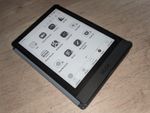
- Onyx BOOX Poke3
- OpenTasks ★★★★☆ Simple to-do list that works great with a Nextcloud server or local storage on your phone.
- OpenVibe ★★★½☆ A cool idea, and it looks great, but the combined feed is too much of a firehose unless you’re only following a small number of people on each account.
- Opera (Web Browser) ★★★☆☆ Opera used to be one of my favorite browsers back in the day, but its current incarnation just doesn’t appeal to me. I much prefer Vivaldi, which is a spiritual successor to the original.
- Pachli (Mastodon App) ★★★★☆ A Mastodon app forked from (and still similar to) Tusky. Capable without being cluttered. Faster, smaller updates, some minor differences, and some cool anti-harassment features I’d like to see adopted more widely.
- Phanpy (Mastodon App) ★★★★★ An app for Mastodon (and other Fediverse sites) that cuts through the clutter. Runs anywhere in a web browser, or can be installed to your device’s home page as a PWA.
- PixelDroid ★★★★★ Optimized for photo sharing and viewing, works smoothly and integrates well with the system. FOSS, won’t vacuum up your personal data.
- Pocket (discontinued) ★★★½☆ I used Pocket for ages to better manage my time reading articles. Eventually I soured on the way it’s turned into a recommendation engine. And now Mozilla’s discontinuing it. Wallabag is a decent alternative for the read-it-later aspect.
- QuickEdit ★★★★★ Full-featured text editor for Android. Good in a pinch on a phone, better on a tablet.
- Samsung Galaxy S4 (Phone) ★★★★★ Much as I like newer phones, there are a few things that I really miss about the S4, especially the ergonomics.
- Scrambled EXIF ★★★★½ One of those ‘does one thing really well’ apps: It’s a filter that removes all the date, time, location, camera, and other metadata from a photo as you share it from your phone.
- Simplenote ★★★★☆ A simple, but solid alternative to Google Keep or Apple Notes that syncs across multiple platforms. Downsides are that it’s not end-to-end encrypted, and Automattic has stopped developing new features, so it’s not clear how long they plan to maintain the software - or the service.
- Sly (Image Editor) ★★★½☆ Simple, friendly, privacy-respecting image editor for Android and Linux. Convenient for most basic photo adjustments, but metadata handling is currently broken, so I can’t use it to just crop photos for iNaturalist. Once that’s fixed, though…
- StreetComplete ★★★★★ StreetComplete is an easy way to contribute to OpenStreetMap on the go, as a beginner, or both from your Android phone.
- Subway Tooter ★★★½☆ Extremely customizable, capable, cluttered and complex. Also extremely frustrating to use, especially on a phone. Better on a tablet where there’s room for more columns at a time.
- T-Life (T-Mobile Account App) ★★★☆☆ Handles most (but not all) account management actions, but it really wants to upsell new devices/services, and spams you on T-Mobile Tuesdays. Some phones that work fine on the network can’t run the app.
- Target (app) ★★★★★ Well-designed, runs smoothly, great for ordering items to pick up in-store or for shipping.
- Tor Browser ★★★★☆ When you really want (or need) to stay private while using the web, Tor is the way to go. Just keep the drawbacks in mind when you do.
- Tusky for Mastodon ★★★★★ I’ve checked out some alternatives after several years using Tusky, and it’s still my preferred Mastodon/Fediverse app. It really runs smoothly, even with multiple accounts.
- Vespucci (App) ★★★★★ Vespucci is a powerful editor for OpenStreetMap on Android that can handle just about anything, though the learning curve is steep.
- Vivaldi (Web Browser) ★★★★★ Spiritual successor to the original Opera browser, this ultra-customizable web browser can open into a full suite for email, calendar, feeds and more – but only if you want it to.
- Wallabag ★★★★☆ A read-it-later type service built on open-source software that you can run yourself if you want (but don’t have to). Not as polished as Pocket, but it’s sticking around, and you know it’s not using your saved bookmarks to train a recommendation engine.
- Watch Duty ★★★★★ More useful than official alerts or the LA Times fire maps for knowing which parts of a wildfire you need to worry about and how soon.
- Waterfox ★★★★☆ A Firefox fork aimed at improved performance and privacy, without sacrificing usability. Also available on Android.
Tech Tips
- Airplane Mode: Battery Saver! An old phone with an old battery was still powered after two weeks.
- Android App Crashing on Start? Clear the Cache An app was crashing every time I tried to launch it. Clearing the cache fixed it without having to uninstall and reinstall, or clear the (extensive) data.
- Android Browser Using Extra Space? Check Gears! (Obsolete) Android’s web browser stores several types of data: cache, history, cookies and passwords…and Gears, which might use more memory than you’d expect!
- Android Stops Syncing When Low on Space If your Android phone gets a Low on Space warning, take care of it. The phone will stop syncing messages, contacts and email until you do.
- Android Won’t Stop Vibrating Notification options are per-app and per-conversation, so if you change vibration, you need to change it on everything you’ve already set.
- Cloning a GitHub Repo via Mobile Firefox Even on a tablet with a big enough screen that GitHub looks like it’s showing the desktop version, you might have to insist on it to get all the buttons to appear.
- Forgetting Out-of-Range WiFi Networks on a Samsung Galaxy Phone (Obsolete) The tedious solution: Rename your own hotspot, remove it from the phone, then rename it back.
- G1 Sync and Texts Blocked? Check Your Apps! (Obsolete) Lack of space can prevewnt Android from doing basic things like syncing and sending/receiving messages.
- How to Change the Default Email App on Android It’s not in Default Apps, so you need to clear the default preferences for your old app first.
- How to Put a Phone Extension in Your Android Contacts Use a comma for pause just long enough for the remote to pick up, or a semicolon to wait for a greeting first.
- KeePass Password Managers KeePassXC, its browser extension, and KeePass2Android are a nice, clean set of apps to manage your passwords on your OWN desktop and mobile devices, auto-fill websites and apps, and sync over your own server or cloud provider.
- Mobile Web Layouts vs. the Viewport Mobile web browsers now use a larger virtual screen to provide an imitation desktop experience - even if you’ve provided a better one tailored for small screens.
- Reformat an SD Card for a New Android Device You can’t reformat an encrypted SD card from an old Android device, but you can plug it into a PC and reformat it there.
- Third-Party App Stores Won’t Install on Android? Check Screen Dimmers Android won’t react to an Install button if the screen image is filtered by an app like Twilight or Lux. Fortunately it’s easy to turn them off temporarily.
- Using Bookmarklets on Android You can’t use menus for bookmarklets, but you can use auto-complete.
- Using BOOX Devices’ Page Flip Buttons With Third Party eBook Apps A few eBook apps work with the buttons out of the box, but most need you to enable page-flipping with volume buttons, one app at a time.
- Why Google Buzz Won’t Run on Your Android Phone (Yet) (Obsolete) Buzz relies on several HTML5 features which were added to the browser with Android 2.0. Older versions support Gears instead, which may be the way to solve it.
Blog Posts
- Almost Got It
The kid has been watching a zillion teardown/repair/dismantling videos of various devices on YouTube, and wants to learn to repair phones. So I took the old phones and tablet that I’d set aside for e-waste collection, and the tools I used to do battery replacements on a couple of devices a while back, and let […]
- Trying to get at the features left out of the mobile app
If someone wants to use the functionality you’ve left out of your mobile site or app, and is willing to slog through the desktop site on their phone or tablet, you should at least let them get at it!
- High-Rise Night: Trying out “Night Sight” on the Pixel 2 Camera
Google has a new camera mode on its Pixel phones called Night Sight, for handling low-light conditions. The short version is that instead of taking a long exposure, it takes a series of short exposures and stacks them to avoid motion blur from hand movements (plus a lot of additional processing). The long version is […]
- Battery Life: 1½ Days Doesn’t Matter
Interesting point on phone battery life in Wired’s article on the Google Nexus line: One and a half days doesn’t matter….In the morning you want your battery to look 100 percent when you leave for the day. So either somebody solves it for a week battery, or you have to give reliably one solid day […]
- Android Phone: Died and Reborn
The Android 5.1 OTA trashed my phone. I tried everything I could think of, and finally just installed CyanogenMod. It’s outdated, but it WORKS.
- Ode to the Nexus 7

The Nexus 7 Android tablet has been discontinued in favor of the Nexus 9. (via Slashdot.) I’ve had a Nexus 7 (2012) almost since the beginning, and while it’s showing its age, I’ve been trying to stretch out its lifetime, because I actually do still use it on a regular basis. Most of what I […]
- Apple opens dictionary, abandons lawsuit over “App store”
It’s about time common sense prevailed. “App store” describes a store for apps as generically as “book store” describes a store for books.
- Apple: Supported After All
It felt weird to kill time at the Apple store with my Android phone. I thought about reading the new Flash comic, but that seemed off as well…or was it?
- What’s Wrong With Facebook Updating Itself on Android?
Imagine a car recall, except instead of getting a notice from the manufacturer, you hear a noise in your garage and find someone messing with your car.
- Tablets and the Geek Bubble (i.e. “Who uses THAT?”)
A lot of geeks don’t consider that someone else might have a different use case, workflow or need. Disdain for tablets is the latest expression of this.
- How I Actually Use My Nexus 7 Android Tablet
I prefer the tablet to the smartphone when I’m at home, or any time I want to do something for more than a few minutes. But what about the desktop/laptop?
- Nexus 7 + USB Cable = Finally! Upload Photos Without a Laptop!
You can attach USB devices to a Nexus 7 Android tablet with a $1 cable adapter. Even thumb drives and cameras work, though you need an app to read them.
- Mobile Apps and Spotty Connections
Mobile connectivity varies a lot, even in an area with dense cellular coverage. Apps really shouldn’t rely on the connection to be perfect.
- Nexus 7: First Impressions from a Tablet Newbie
First impressions: Good performance, size well-balanced for reading, better than using my phone to type. Sort of regretting that it’s wifi-only.
- G2 Battery Drain, Google Maps & GPS (Update: Wi-Fi)
I finally got hit by the mysterious battery drain that’s been plaguing G2 Android phones. Here’s what I think is happening.
- Recent Tech Links: Unmaintainable Code, XKCD on The Cloud and More
How To Write Unmaintainable Code – what not to do when programming. Computer de-evolution: Features that lost the evolutionary war – ITworld ComputerWorld (via Slashdot) Two XKCD comics: First, “The Cloud” explained. Second, anyone who has used command-line utilities on Linux will appreciate Manual Override. International Usability – Big Stuff the Same, Details Differ (Jakob […]
- App Store: Apple vs. the English Language
Apple denies that, based on their common meaning, the words ‘app store’ together denote a store for apps.
- That’s Not What I Said!
Things Google speech recognition came up with when I searched for ‘The Lost Bean.’ You’d think that wouldn’t be too hard.
- Links: Humans.txt, Nighttime Photos, Evaporating Cloud and More
Very cool! 175 Photos of Day Taken at Night Humans TXT: We Are People, Not Machines. Cool idea, but I’m not sure how practical it is without (ironically, I know) a machine-readable standard. If we can’t get most people to watch the credits on a movie, who’s going to go looking for a text file […]
- Sent From My…
Maybe “Sent from my iPhone/Droid/whatever” *is* worth including…as a spelling disclaimer. (Sent from my G2)
- GPS Navigation Convert (Sort of)
After avoiding GPS navigation for years, I’ve discovered something I like about it: avoiding traffic congestion.
- Netbook, Phone or Tablet?
Comic-Con International is rapidly approaching, and you know what that means: it means I’m thinking about mobile computing again! Right now, I’ve got a G1 Android-based phone, and Katie and I share a MacBook. The G1 is showing its age, and it would be nice to have a second computer to do things like manage […]
- G1 Will Get Android 2.1 After All (Update: No)
Android and Me is reporting that all Android phones in the U.S. will get Android 2.1 updates — even the G1 — but that they may be missing some features and some models will need to be wiped as part of the installation. That makes sense, because it would allow developers to reassign some of […]
- Nexus One Thoughts
Google’s Nexus One could well be my next phone…but I’m not ready to give up my physical keyboard just yet.
- First Look Through Google Goggles
I tried out Google’s new Goggles app. Basically it lets you use the camera on an Android phone to do an image-based search. The examples include landmarks, book covers, artwork, logos, contact info, and places. So I played with it for a bit at home tonight. It’s good at picking out book covers and logos, […]
- Netbook, Laptop or Smartphone?
I briefly considered doing a fresh install on the old PowerBook to see if it could be used as a second laptop, instead of just wiping it to recycle, but quickly remembered that the reason we replaced it was a hardware problem. Still, it would be nice to have two portable computers for when we […]
- CDN Breakdown=Bad. Best Buy Mobile Site=Good
One minor rant, and one success story, sort of connected. The rant: My internet connection is acting kind of flaky tonight. Actually, the connection is fine, but it isn’t talking to some content delivery network(s). All the small-time websites load perfectly, but a lot of the larger ones either aren’t loading at all or are […]
- G1: No Android 2 for You!
Early reports say that Android 2.0 won’t fit on the T-Mobile G1. My reaction is mixed: Sure, you drop old hardware eventually, but it’s only been a year.
- Droidmark
I wonder if Lucasfilm will try to assert trademark over the Motorola/Verizon Droid?
- Misandroid
Oh noes! A computer environment (Android) designed for smartphones isn’t a good fit for a netbook? Stop the presses!
- Frustrations (And a Few Bright Spots)
Hard disks should not sound like buzz saws. Slashdot article “FOSS Sexism Claims Met With Ire & Denial”…gets met with ire & denial. *headdesk* Listening to lightsaber sounds from across the office. I think my coworker w/ the new Android phone found an app for that. Vertical Horizon’s Burning the Days is growing on me, […]
- Android FTW!
I wasn’t planning to have a donut today, but T-Mobile just sent Android 1.6 to my phone. I’ve had it almost a year now, and it’s actually a better phone now than it was when I bought it! How cool is that?
- Android C&D
WTF? Google C&Ds Android modder Cyanogen. Isn’t it supposed to be licensed open-source in the first place? The cease-and-desist order is about Google’s apps (Maps, Gmail, etc.) that are pre-installed, not about the operating system itself, but still, it feels like a violation of the spirit if not the letter of the license.
- G1 Nearing Upgrade Limits?
I love my T-Mobile G1, but it’s no secret that the phone has way too little internal memory. Now Engadget reports that the limited memory could prevent the G1 from running future versions of the Android operating system. You can add plenty of data storage (images, music, app data) by dropping in any size Micro-SD […]
- Trying Sherpa for Android
Testing out Sherpa on my Android G1 phone. Not terribly impressed.
- Looking for a Good Android Twitter App
I love Twidroid, but I’m looking for a good secondary app – I’ve tried I Tweet, Twitly, Loquacious, Twit2Go and Twitta, but none of them quite make it.
- Goodbye Ed and the :-) Key
Pair of spam subjects: “Say goodbye to ED” and “A person is missing!” Well, yeah, after Ed left… Just noticed the android virtual keyboard has a key for 🙂 when typing text messages.
- Back to WP-Mobile
I’m really impressed with the new version of WordPress Mobile Edition. It handles both the low-end and high-end (iPhone, Android) devices cleanly and efficiently. I was using a three-tiered setup with WP-Mobile for basic phones, WPTouch for iPhone and Android devices, and of course the regular theme for desktops, but it seems simpler to drop […]
- G1 Fun
Fun climbing office staircase with the G1 and watching as WiFi networks appear and disappear.
- Blocking the Impulse Buy: Shazam, Amazon MP3 Store and Android
How I *almost* bought an album from my phone immediately after hearing a song on the radio, and what obstacles stopped me.
- Reading Comics on the Phone: Hexed on the G1
A look at the way iVerse’s comic book reader works on the Android-based market, and how well it translates comics from print.
- A Month with the G1
It’s been a little over a month since I upgraded to a T-Mobile G1. Overall I’ve been very happy with it. The Internet-related features are great, I’ve gotten used to how most of the functions work, and I’ve tried it out under various circumstances and played with a bunch of applications. The only problems I […]
- Opera Mini on Android
Now there’s timing: Just two days after I bought a G1, Opera has released a beta of Opera Mini for the Android platform. You can find it in the Communications section of the Android Marketplace. Amazingly enough, on its first day out, it’s already #2 by popularity. For the most part I’m happy with the […]
- The G1: First Impressions
You may have noticed I’ve been looking for a smartphone for a while, and looking at the T-Mobile G1 more or less since it was announced. Well, I finally went for it. I was going through piles of papers on my desk and realized I had almost enough cashback bonus on one of my credit […]